> ## Documentation Index
> Fetch the complete documentation index at: https://docs.mathfi.ai/llms.txt
> Use this file to discover all available pages before exploring further.
# Model Crucible
> Model Crucible trains every algorithm family against your data at once, scores them on held-back data, and keeps the best three. How it ranks, what a champion is, and how to predict.
Model Crucible builds the model. You give it a dataset, it runs many training attempts at once
across three algorithm families, scores every one of them on data they never saw, and keeps the
best three as v1, v2 and v3 of a single model.
The name is literal: everything goes in, one comes out.
 ## The three stages
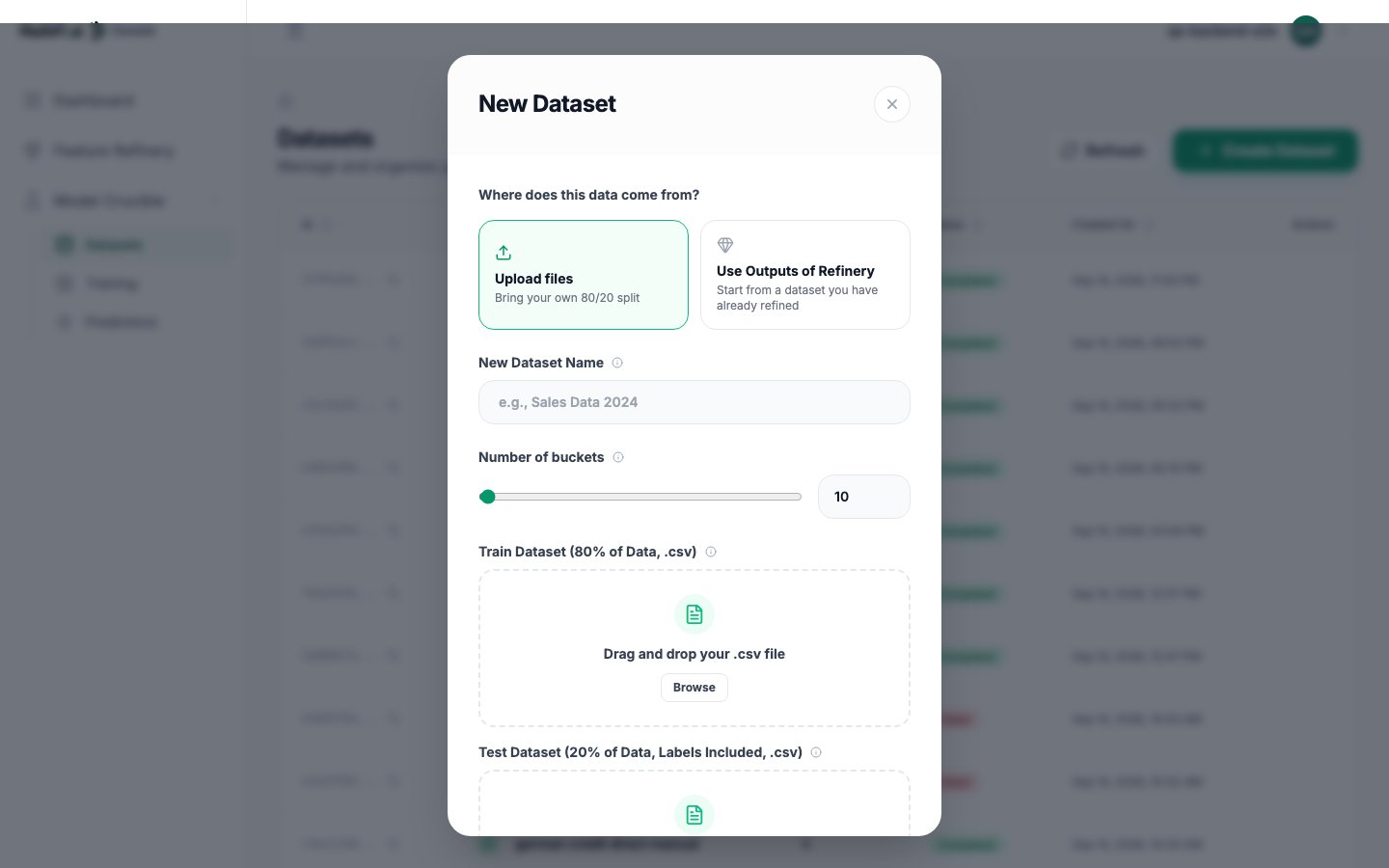
The labelled data to train from. Either a finished Feature Refinery run handed straight over,
or your own 80/20 split uploaded as two files.
Every attempt runs at once and is scored live. When the run settles, you pick the champion from
its best candidates.
Upload unlabelled rows. They are scored against the champion and returned as a CSV.
## Why two files
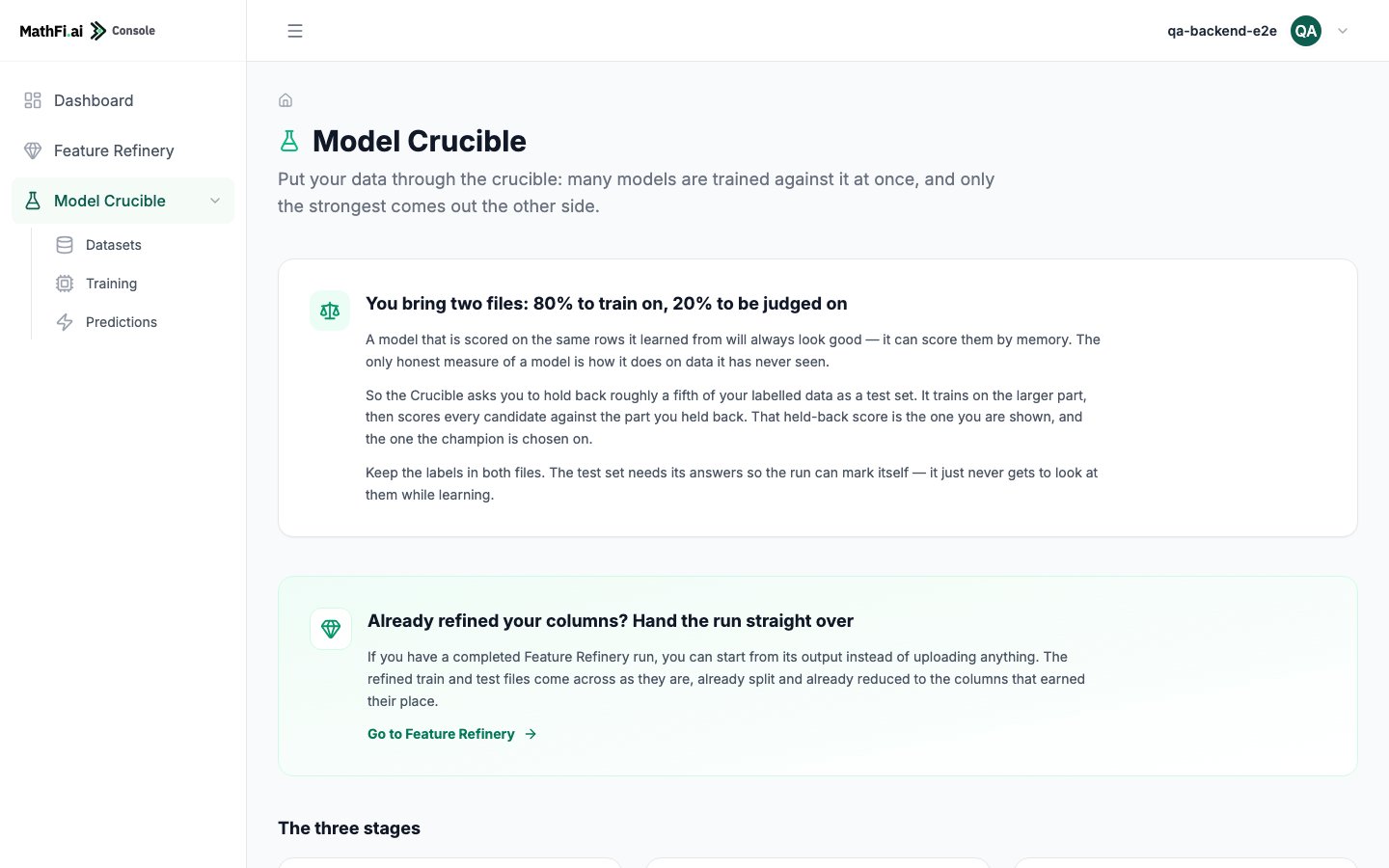
A model scored on the rows it learned from will always look good. It can score them from memory.
The only honest measure is how it does on data it has never seen.
So the Crucible asks you to hold back roughly a fifth of your labelled data as a test set. It
trains on the larger part, then scores every candidate against the part you held back. That
held-back score is what you are shown, and what the champion is chosen on.
**Keep the labels in both files.** The test set needs its answers so the run can mark itself. It
just never gets to look at them while learning.
If your data came from Feature Refinery, this is already done. Choose **Use Outputs of Refinery**
and there is nothing to upload.
## The three stages
The labelled data to train from. Either a finished Feature Refinery run handed straight over,
or your own 80/20 split uploaded as two files.
Every attempt runs at once and is scored live. When the run settles, you pick the champion from
its best candidates.
Upload unlabelled rows. They are scored against the champion and returned as a CSV.
## Why two files
A model scored on the rows it learned from will always look good. It can score them from memory.
The only honest measure is how it does on data it has never seen.
So the Crucible asks you to hold back roughly a fifth of your labelled data as a test set. It
trains on the larger part, then scores every candidate against the part you held back. That
held-back score is what you are shown, and what the champion is chosen on.
**Keep the labels in both files.** The test set needs its answers so the run can mark itself. It
just never gets to look at them while learning.
If your data came from Feature Refinery, this is already done. Choose **Use Outputs of Refinery**
and there is nothing to upload.
 ## What a training run does
One run is many attempts, not one. Three algorithm families compete: the family that varies most
run to run contributes the bulk of the attempts, and the other two contribute one each. They all
train against the same data and are all scored the same way.
Running many independent attempts is not redundancy, it is the point. Each one attacks the problem
from a different starting position. When the pattern in your data shifts, the attempt that was
winning may fall behind and another takes over. That diversity is what makes the result hold up as
your data moves.
### How they are ranked
By **false decisions**: how many rows the model got wrong on the held-back test set. Fewest wins.
Accuracy, F1, precision and recall are all reported, but the ranking is on false decisions, because
that is the number that maps to what a mistake actually costs you.
## What a training run does
One run is many attempts, not one. Three algorithm families compete: the family that varies most
run to run contributes the bulk of the attempts, and the other two contribute one each. They all
train against the same data and are all scored the same way.
Running many independent attempts is not redundancy, it is the point. Each one attacks the problem
from a different starting position. When the pattern in your data shifts, the attempt that was
winning may fall behind and another takes over. That diversity is what makes the result hold up as
your data moves.
### How they are ranked
By **false decisions**: how many rows the model got wrong on the held-back test set. Fewest wins.
Accuracy, F1, precision and recall are all reported, but the ranking is on false decisions, because
that is the number that maps to what a mistake actually costs you.
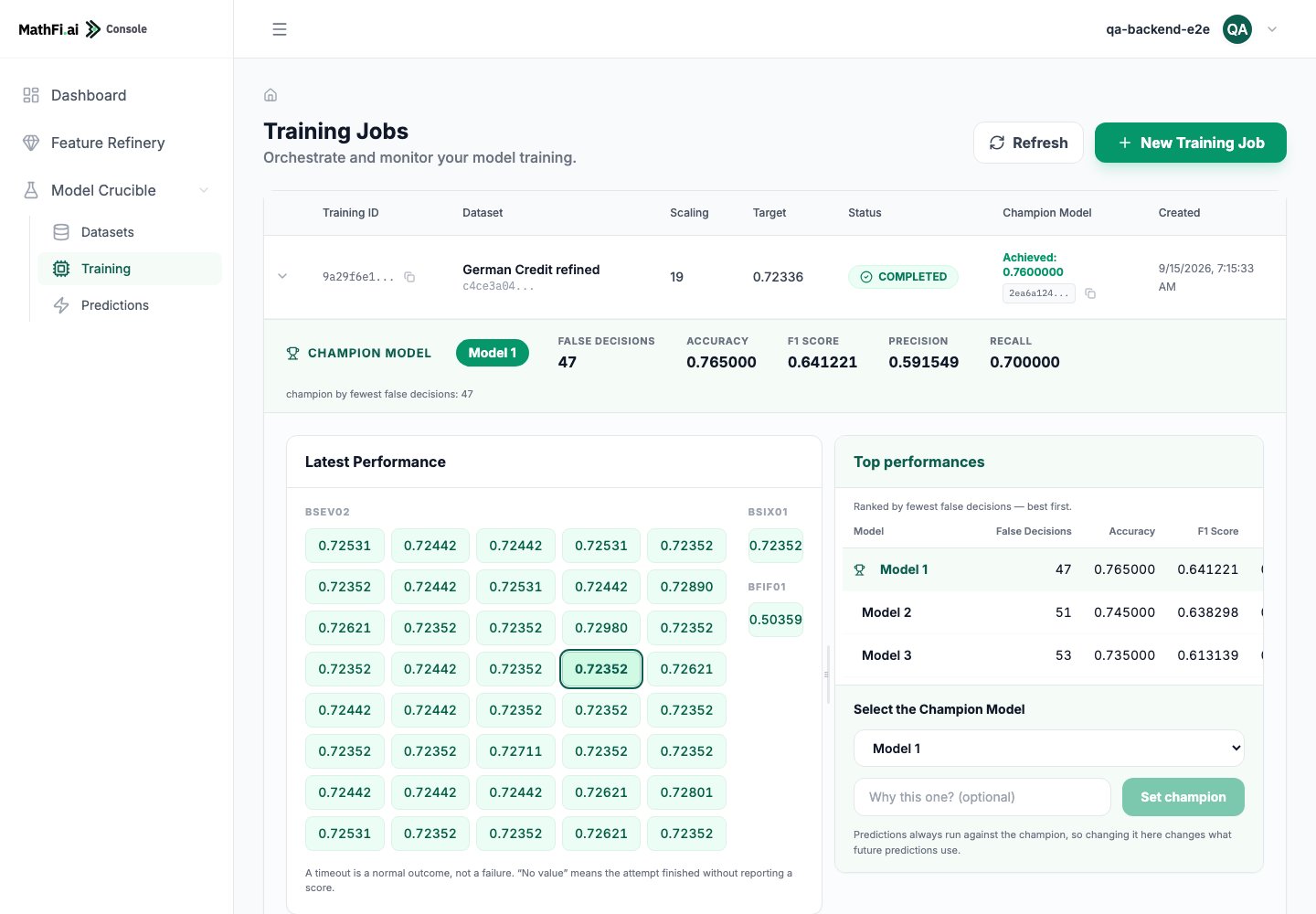 The grid shows every attempt's live score. A timeout there is a normal outcome, not a failure:
an attempt that did not reach the target inside its time cap simply reports what it reached.
### Settings
| Setting | What it does |
| ----------- | ----------------------------------------------------------------------------- |
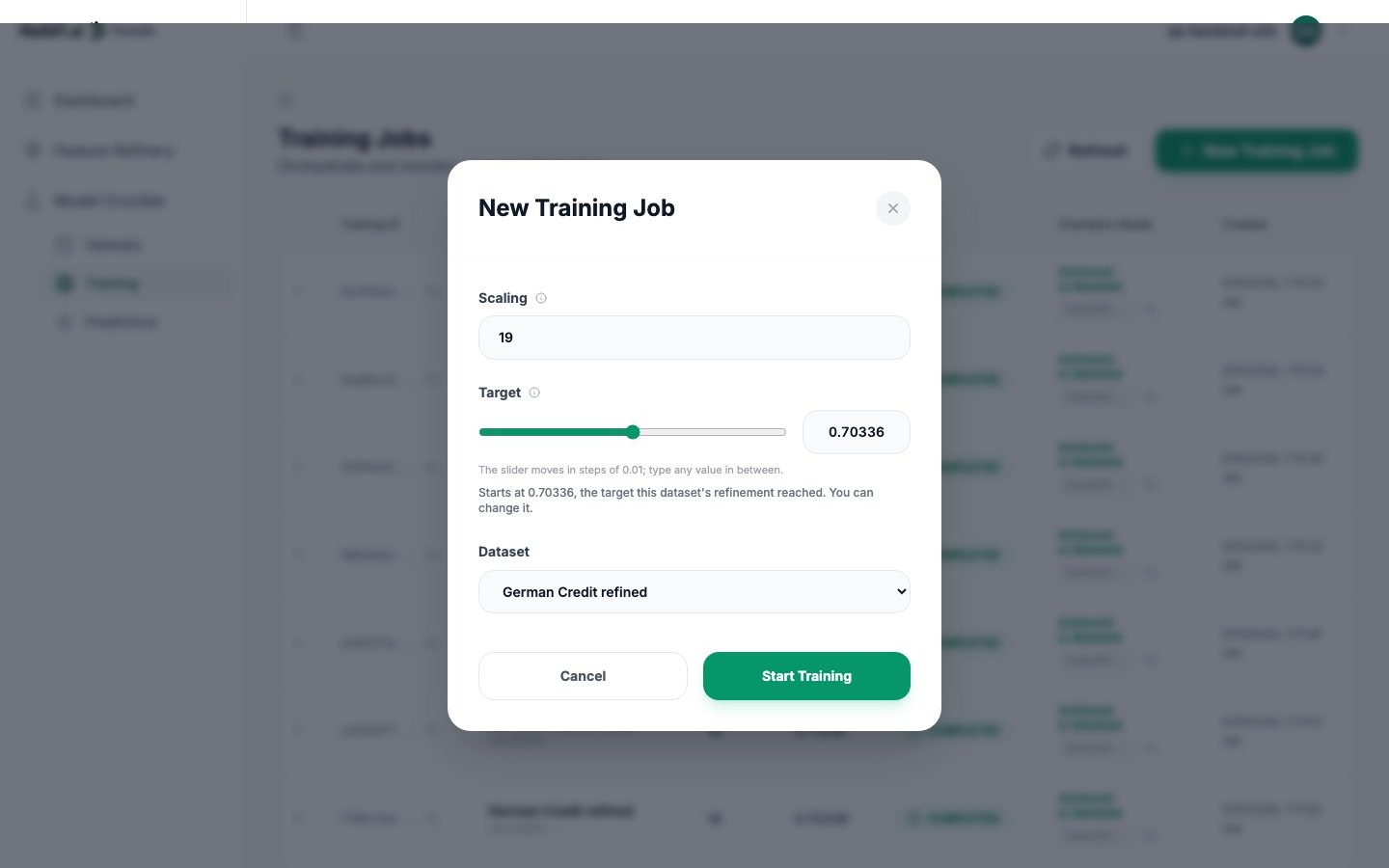
| **Target** | The accuracy each attempt aims for. |
| **Scaling** | An internal parameter, 0 to 499. 19 is the working default. |
| **Buckets** | Set on the dataset, not the run. See [Tuning](/guides/hyperparameter-tuning). |
**Set the target to what the data supports, not to what you want.**
A dataset that came from Feature Refinery carries the target that refinement actually reached. The
console pre-fills it. Over the API you must read `recommendedThreshold` from the dataset and send
it yourself.
Setting a target far above what the data supports does not produce a better model. Every attempt
runs to its time cap, and the run can settle on a model that predicts one class for every row:
accuracy that looks plausible, F1 of zero, and a confident-looking grid behind it.
The grid shows every attempt's live score. A timeout there is a normal outcome, not a failure:
an attempt that did not reach the target inside its time cap simply reports what it reached.
### Settings
| Setting | What it does |
| ----------- | ----------------------------------------------------------------------------- |
| **Target** | The accuracy each attempt aims for. |
| **Scaling** | An internal parameter, 0 to 499. 19 is the working default. |
| **Buckets** | Set on the dataset, not the run. See [Tuning](/guides/hyperparameter-tuning). |
**Set the target to what the data supports, not to what you want.**
A dataset that came from Feature Refinery carries the target that refinement actually reached. The
console pre-fills it. Over the API you must read `recommendedThreshold` from the dataset and send
it yourself.
Setting a target far above what the data supports does not produce a better model. Every attempt
runs to its time cap, and the run can settle on a model that predicts one class for every row:
accuracy that looks plausible, F1 of zero, and a confident-looking grid behind it.
 ## Champion and versions
A finished run offers up to three models, ranked best first. v1 starts as the champion.
* **Predictions always run against the champion.** Changing the champion changes what future
predictions use.
* **Changing it never rewrites history.** Every prediction records the version it ran against, so
an earlier result keeps meaning what it meant.
* **Nothing is rebuilt when you switch.** A flag moves. Switch as often as you like.
Why switch? Because the best model on false decisions is not always the model you want. A credit
decision might justify accepting more false alarms to catch more real risk, which means taking a
candidate with higher recall over the one with the lowest error count. The candidates table shows
you the trade, and you make the call.
## Prediction
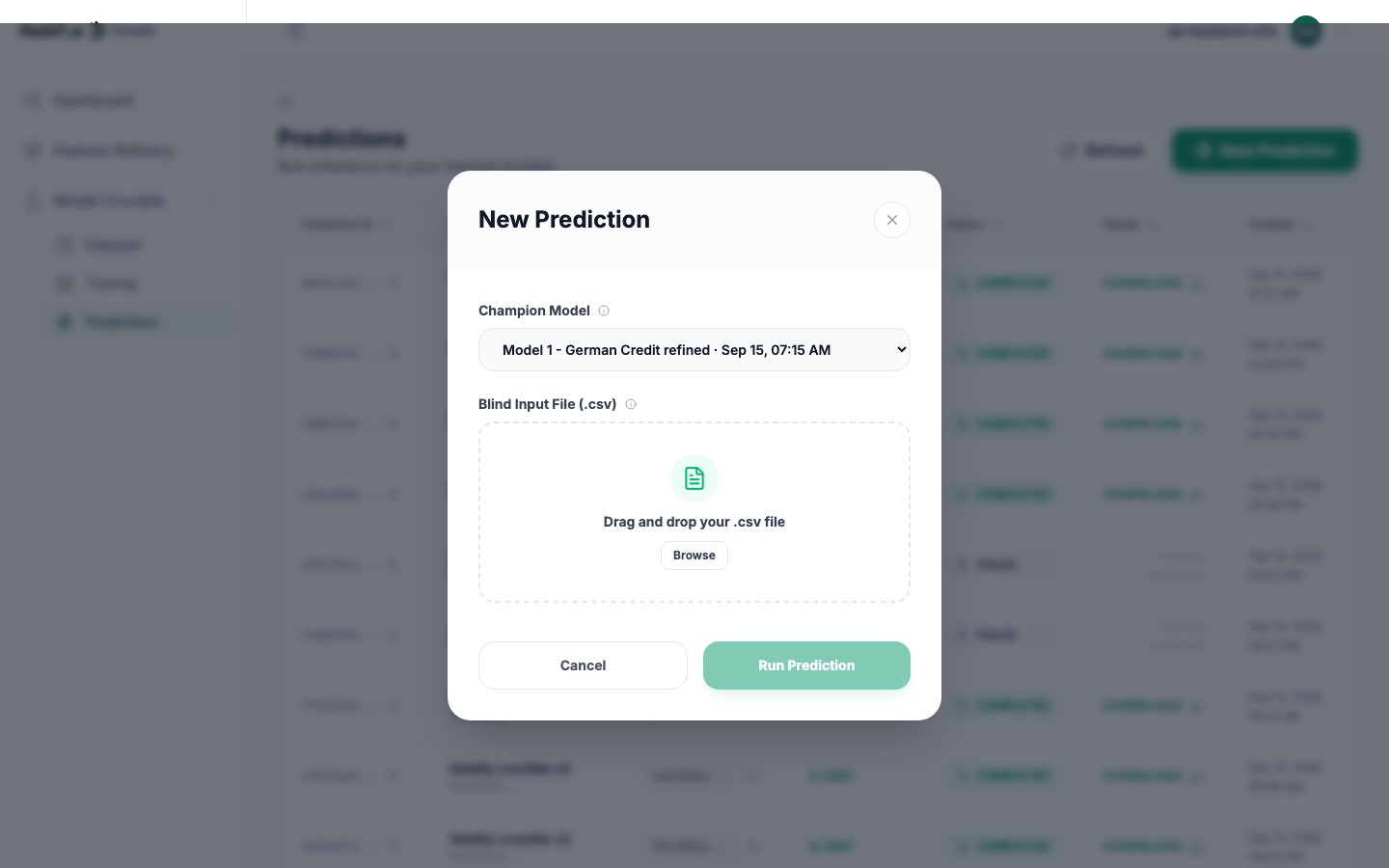
Upload a CSV with the same columns as your training data, minus the target. You get back the same
rows with the prediction appended.
## Champion and versions
A finished run offers up to three models, ranked best first. v1 starts as the champion.
* **Predictions always run against the champion.** Changing the champion changes what future
predictions use.
* **Changing it never rewrites history.** Every prediction records the version it ran against, so
an earlier result keeps meaning what it meant.
* **Nothing is rebuilt when you switch.** A flag moves. Switch as often as you like.
Why switch? Because the best model on false decisions is not always the model you want. A credit
decision might justify accepting more false alarms to catch more real risk, which means taking a
candidate with higher recall over the one with the lowest error count. The candidates table shows
you the trade, and you make the call.
## Prediction
Upload a CSV with the same columns as your training data, minus the target. You get back the same
rows with the prediction appended.
 If the model's dataset came from a refinement, you do not have to work out which columns were
dropped. The API's `applyColumnStatusFilter` option strips them for you, by position. A file you
have already stripped yourself passes through untouched.
Prediction runs on a file: you send a CSV, you get a CSV.
## Using it without Feature Refinery
The Crucible works fine on its own. Upload your own 80/20 split and train.
Do that when you already know your feature set, when your target is multi-class, or when you are
benchmarking against a model you already run.
The reason to refine first is that most real datasets carry columns that add nothing and a few that
actively mislead. Refining removes them and hands over a target that reflects what the cleaned data
can actually do. Without it, you are choosing the target yourself, and that choice matters more
than anything else you set.
## Limits
| Limit | Value |
| --------------------------------- | ---------- |
| Concurrent training runs per user | 5 |
| File size per upload | 510 MB |
| Signed upload URL lifetime | 60 minutes |
| Models kept per run | 3 |
Refinery to Crucible to prediction, with the numbers.
Dataset, train, poll, choose, predict.
If the model's dataset came from a refinement, you do not have to work out which columns were
dropped. The API's `applyColumnStatusFilter` option strips them for you, by position. A file you
have already stripped yourself passes through untouched.
Prediction runs on a file: you send a CSV, you get a CSV.
## Using it without Feature Refinery
The Crucible works fine on its own. Upload your own 80/20 split and train.
Do that when you already know your feature set, when your target is multi-class, or when you are
benchmarking against a model you already run.
The reason to refine first is that most real datasets carry columns that add nothing and a few that
actively mislead. Refining removes them and hands over a target that reflects what the cleaned data
can actually do. Without it, you are choosing the target yourself, and that choice matters more
than anything else you set.
## Limits
| Limit | Value |
| --------------------------------- | ---------- |
| Concurrent training runs per user | 5 |
| File size per upload | 510 MB |
| Signed upload URL lifetime | 60 minutes |
| Models kept per run | 3 |
Refinery to Crucible to prediction, with the numbers.
Dataset, train, poll, choose, predict.