> ## Documentation Index
> Fetch the complete documentation index at: https://docs.mathfi.ai/llms.txt
> Use this file to discover all available pages before exploring further.
# Healthcare outcome prediction
> Healthcare prediction use case: classify patient outcomes using MathFi.ai balanced-class learning on tabular clinical data.
### The problem: health anomaly detection in ECG signals
Detecting anomalies within human heart ECG signals can help health practitioners identify and diagnose potentially fatal heart conditions to prevent heart attacks or cure heart diseases saving patients' lives.
### The data
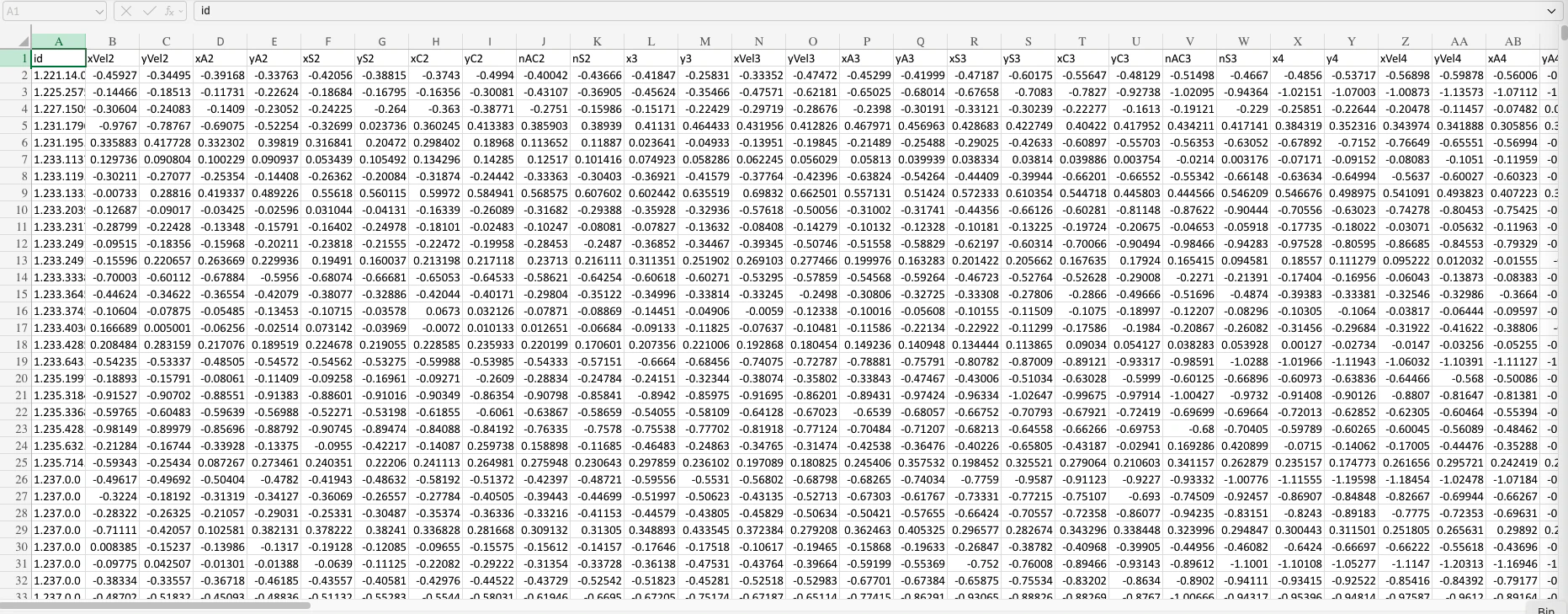
In this use case, we will use a labelled ECG training data to use MathFi.ai platform to detect the ECG anomaly patterns. The data includes samples of ECG time series taken from multiple ECG sensors on human body:
* Each training sample is a sampled ECG signal as a time series
* The last column is the target of the ECG anomaly detection. Label `1` indicates the presence of an anomaly and label `0` means that there is no anomaly
* The dataset used is the altered version of the dataset in [http://www.timeseriesclassification.com/description.php?Dataset=ECG5000](http://www.timeseriesclassification.com/description.php?Dataset=ECG5000)
The base dataset used is (ECGAnomaly.csv).
### Dataset creation
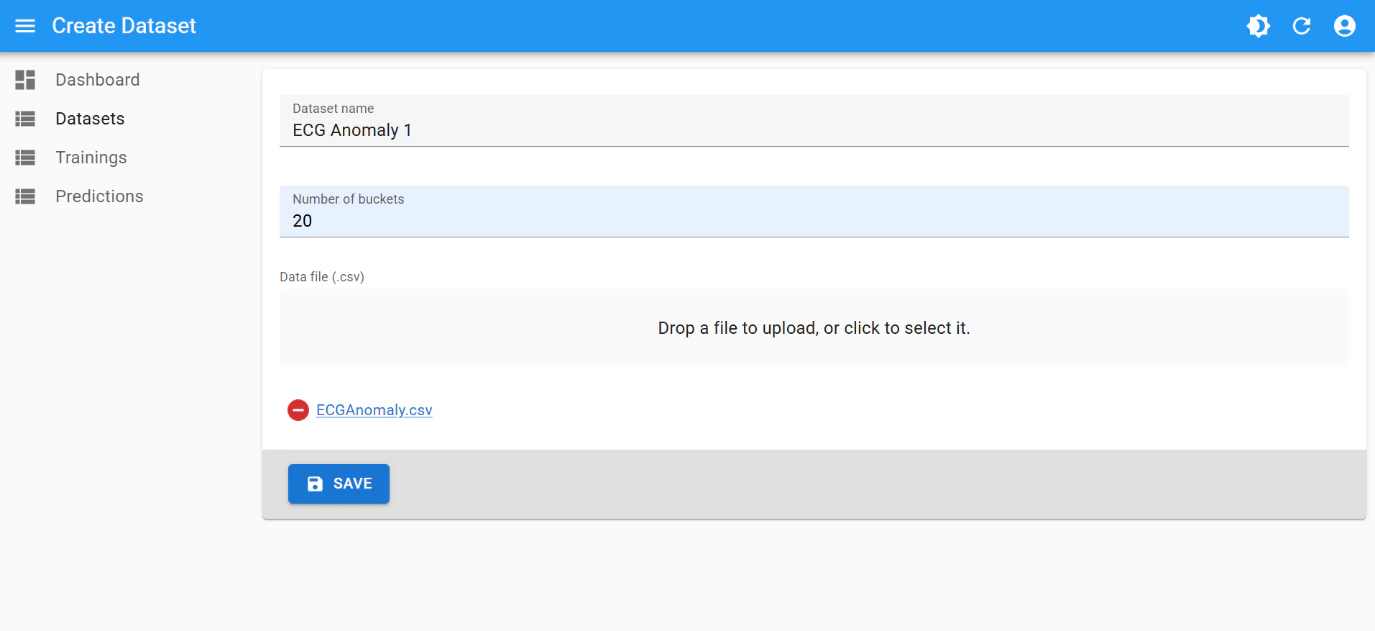
Use the following parameters for dataset creation:
* **number of buckets**: `20`
### Training
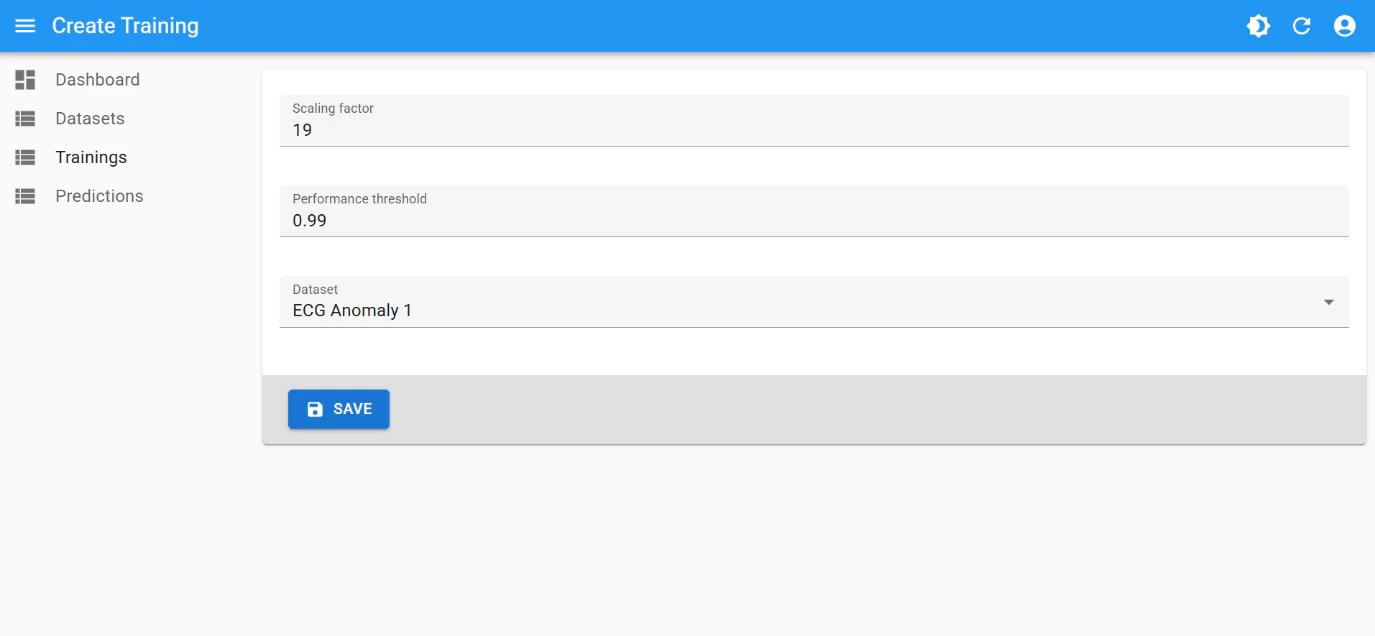
This is the best training attempt:
* **scaling factor**: `19`
* **performance threshold**: `0.99`
 And the created *champion model*:
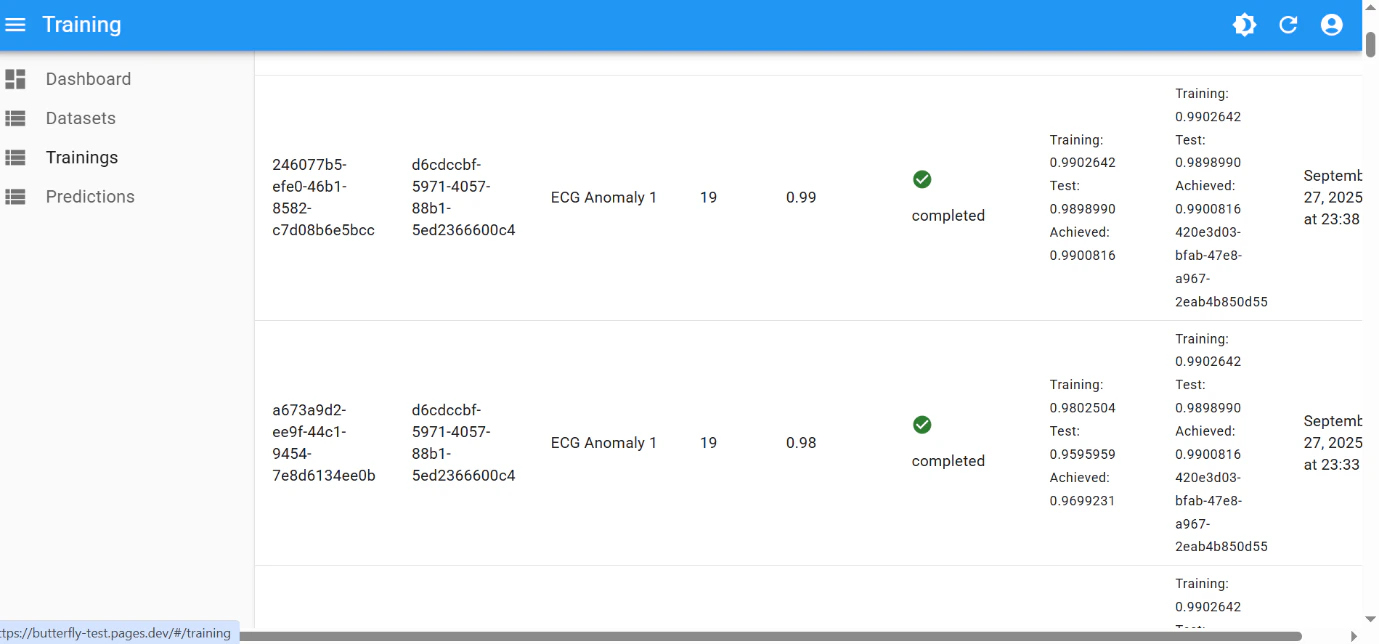
The final performance of `0.99` was achieved after few iterations of [hyperparameter tuning](/guides/hyperparameter-tuning):
| Number of Buckets | Scaling Factor | Performance Threshold |
| ----------------: | -------------: | --------------------: |
| 20 | 19 | 0.80 |
| 20 | 19 | 0.98 |
| 20 | 19 | 0.99 |
### Final result
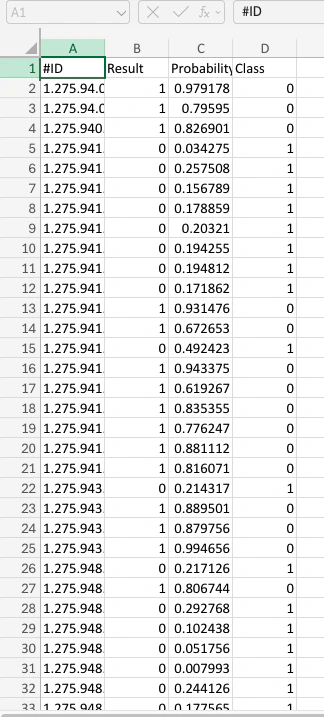
When performing binary classifications or predictions, MathFi.ai platform's underlying proprietary algorithms calculate the probability of certainty for a prediction outcome.
* One label (e.g.`1`) will be selected when the probability is equal or above `0.5`
* and the other one (e.g. `0`) will be selected when the probability is below `0.5`
The closer the value is to `0` or `1`, the more certain is the prediction. The probability is presented in a dedicated column in the prediction result file.
Using this unseen unlabelled data, the resulting CSV looks like this:
 ***
**Build this yourself** — Follow the [Quickstart](/quickstart) to run your first prediction, or go straight to [API Recipes](/developers/api-recipes) to integrate programmatically.
***
**Build this yourself** — Follow the [Quickstart](/quickstart) to run your first prediction, or go straight to [API Recipes](/developers/api-recipes) to integrate programmatically.