

The problem: detection of forged banknotes
MathFi.ai Platform can classify images, and perform prediction based on images, when the image characteristics has been converted to rows of numerical or text features and put into a tabular data format in a CSV file. As an example, in this project we demonstrate how MathFi.ai can help banks detect banknote forgery with accuracy of 100% (F1=1 score).The data
For this case, we’re going to develop a binary classification model to detect which banknotes are fake. Within the labelled training csv file, each row represents the characteristics of an image for a single banknote. The data features are: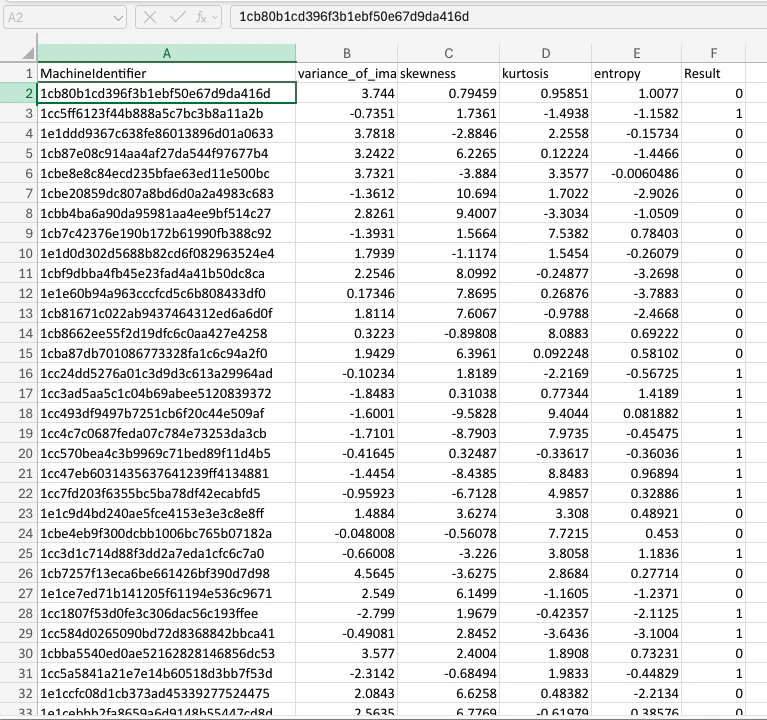
Disclaimer: The data files used in this use case are altered, transformed and edited version of the data present in https://archive.ics.uci.edu/dataset/267/banknote+authentication
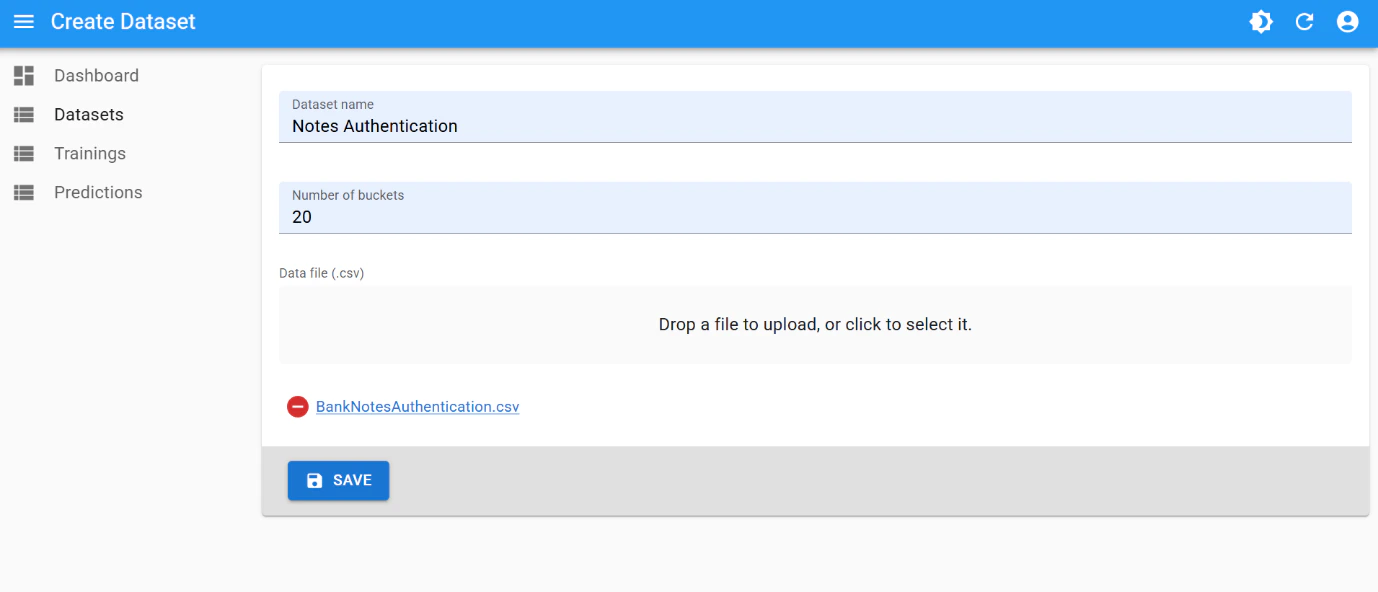
Dataset creation
Use the following parameters for dataset creation:- number of buckets:
20
Training
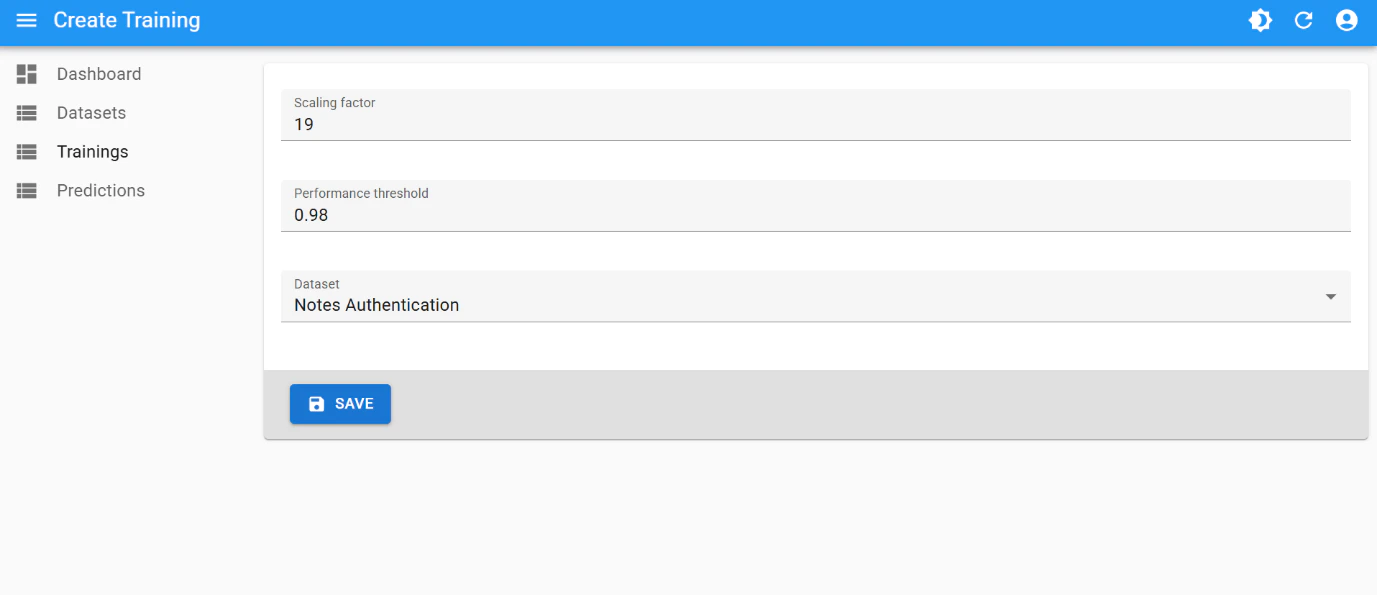
This is the best training attempt:- Scaling factor:
19 - Performance Threshold:
0.98
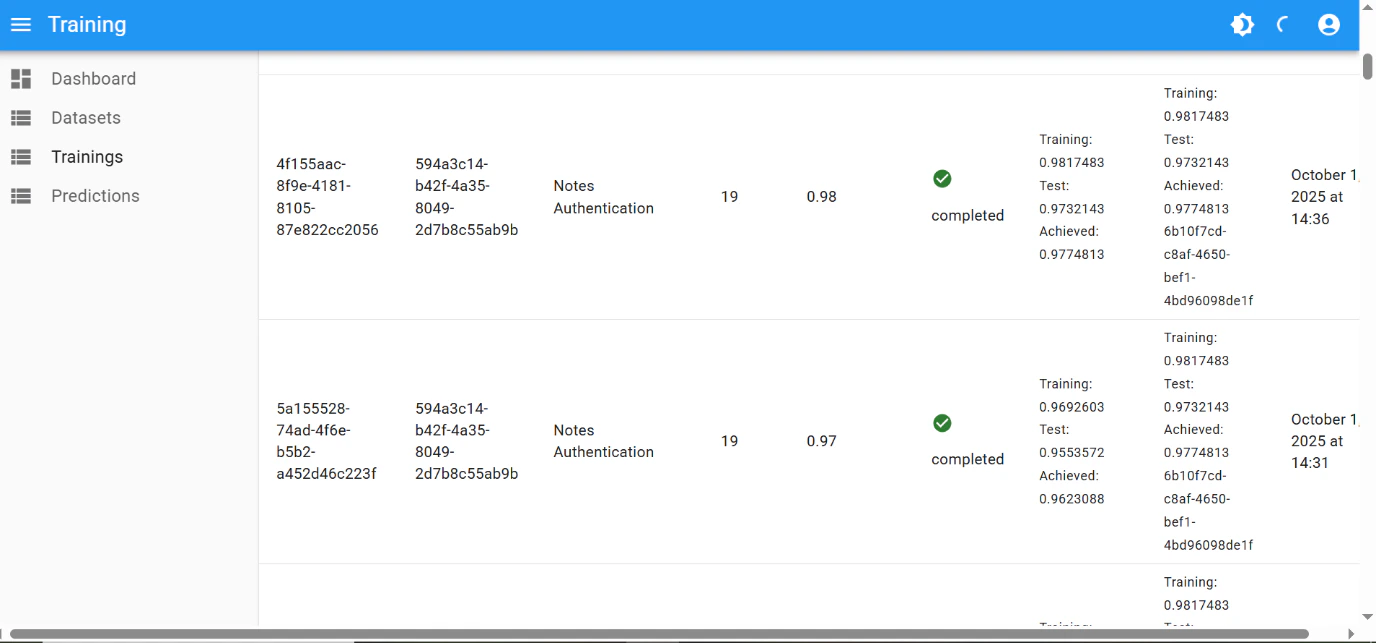
The final performance of
0.98 was achieved after few iterations of hyperparameter tuning:
Final result
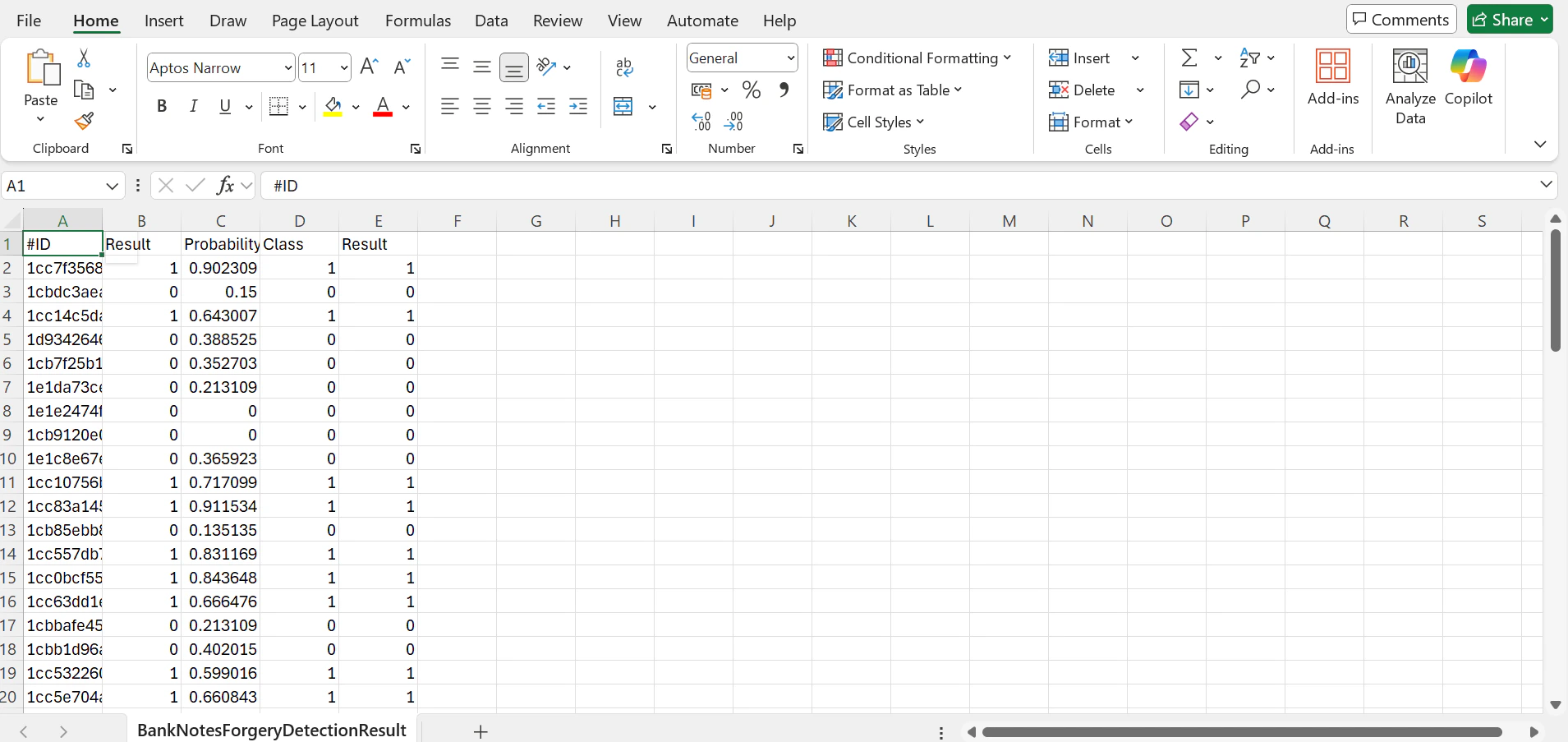
When performing binary classifications or predictions, MathFi.ai platform’s underlying proprietary algorithms calculate the probability of certainty for a prediction outcome.- One label (e.g.
1) will be selected when the probability is equal or above0.5 - and the other one (e.g.
0) will be selected when the probability is below0.5
0 or 1, the more certain is the prediction. The probability is presented in a dedicated column in the prediction result file.
Using this unseen unlabelled data, the resulting labelled CSV looks like this:
Build this yourself — Follow the Quickstart to run your first prediction, or go straight to API Recipes to integrate programmatically.